Home News Highlights
MARCH 1, 2024
FEB. 23, 2024
China has long used hacking as a political and law-enforcement tool to put eyes on dissidents, governments and other people it wants to watch. Because of Associated Press reporting efforts, the picture of how that is done — and what it might mean — is a bit clearer now. On Feb. 19, multiple sources alerted […]
Paris-based photographer Daniel Cole traveled to tell a captivating story and capture exclusive visuals that encompassed how Tahiti’s environment and way of life is threatened by the Olympic Games’ decision to host its surfing competition on the island. On the surface, the island is beautiful, but up close, there’s danger at every turn: From the […]
Reno correspondent Scott Sonner turned what would’ve been a mundane story into a riveting tale of a family’s longing to have something — anything — to bury of their deceased loved one. Sonner knew telling the story would be no easy task. He had a news release saying a North Dakota man was sentenced in […]
FEB. 16, 2024
The expertise of AP’s team and detailed advanced planning allowed the AP to dominate coverage of oral arguments before the U.S. Supreme Court in a case to determine whether Donald Trump can remain on the ballot.
FEB. 9, 2024
Homeland Security reporter Rebecca Santana and South Carolina reporter Jeffrey Collins relied on the deep expertise of their beats to deliver compelling portraits of Homeland Security Secretary Alejandro Mayorkas and South Carolina state Sen.
Journalists Gabe Stern, Michelle Price, Eva Malek, Godofredo Vasquez, Mike Pesoli and Panagiotis Mouzakis combined to produce clear, multiformat explanatory coverage of the complicated electoral process in Nevada, and why it matters.
FEB. 2, 2024
Several months after Tennessee’s elections office made a change that has almost entirely shut down voting rights restoration in the state, officials were quietly still debating whether people who hadn’t gotten their gun rights back should be eligible to cast a ballot again.
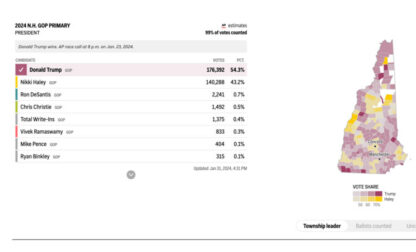
Because it’s the first presidential primary on the calendar, there’s no margin for error.
Excite the sports fans in your customer base with our multiformat coverage, perfect for broadcast, digital and social platforms.
To find out more about how our content and services can help your organization